Table of Contents
- What the Best Commercial Truck Repair Programs Get Right
- Side-by-Side Comparison: Repair Programs vs. Shop Software
- Heavy-Duty Truck Repair Software: What to Look For
- Truck Repair Software Features That Reduce Downtime
- Truck Repair Software Pricing and Total Cost of Ownership
- Fleet Maintenance Program Best Practices
- Implementation, Migration, and Integrations
- Conclusion
- Frequently Asked Questions
Last Updated: October 17, 2026
What the Best Commercial Truck Repair Programs Get Right
The best commercial truck repair programs treat every repair order as a downtime event, not just a transaction.
Here is the core problem. A semi-truck that sits in the bay for an extra day costs far more than the repair itself.
Most programs fail at that handoff. They create work orders fine, but they don’t connect parts availability, technician labor, and service history into one view.
The programs that win share four traits: fast work order creation, live parts visibility, labor tracking that reflects reality, and vehicle records that survive turnover.
Judge every truck repair program by one metric: how quickly it moves a truck from breakdown to billable completion. Features that don’t shorten that path are optional.
Side-by-Side Comparison: Repair Programs vs. Shop Software
Two different products get confused constantly: repair coverage programs and shop management software. They solve different problems, and a commercial fleet usually needs both.
Repair coverage programs protect you against unpredictable repair costs. You pay a predictable amount and the program covers eligible component failures. Shop management software runs the workflow inside a repair shop: work orders, estimates, invoices, parts, and labor.
Here is how they stack up:
| Dimension | Repair Coverage Program | Shop Management Software |
|---|---|---|
| Primary job | Cap repair cost exposure | Run daily shop workflow |
| Who buys it | Fleet managers, owner-operators | Shop owners, service managers |
| Core output | Reimbursement on covered repairs | Work orders, invoices, labor records |
| Coverage scope | Named components and systems | Every job the shop touches |
| Best for | Cost predictability | Operational efficiency |
A fleet running older iron, say trucks pushing 12 to 20 years, feels repair volatility most. A shop with steady volume feels workflow friction most. Match the tool to the pain.
Buying shop software when your real problem is unpredictable repair bills (or the reverse) wastes money. Diagnose the pain before you shop.
Heavy-Duty Truck Repair Software: What to Look For
Look for solutions that handle heavy-duty truck repair without workarounds. Generic auto shop tools often choke on Class 4-8 trucks because the labor times, parts catalogs, and inspection requirements differ.
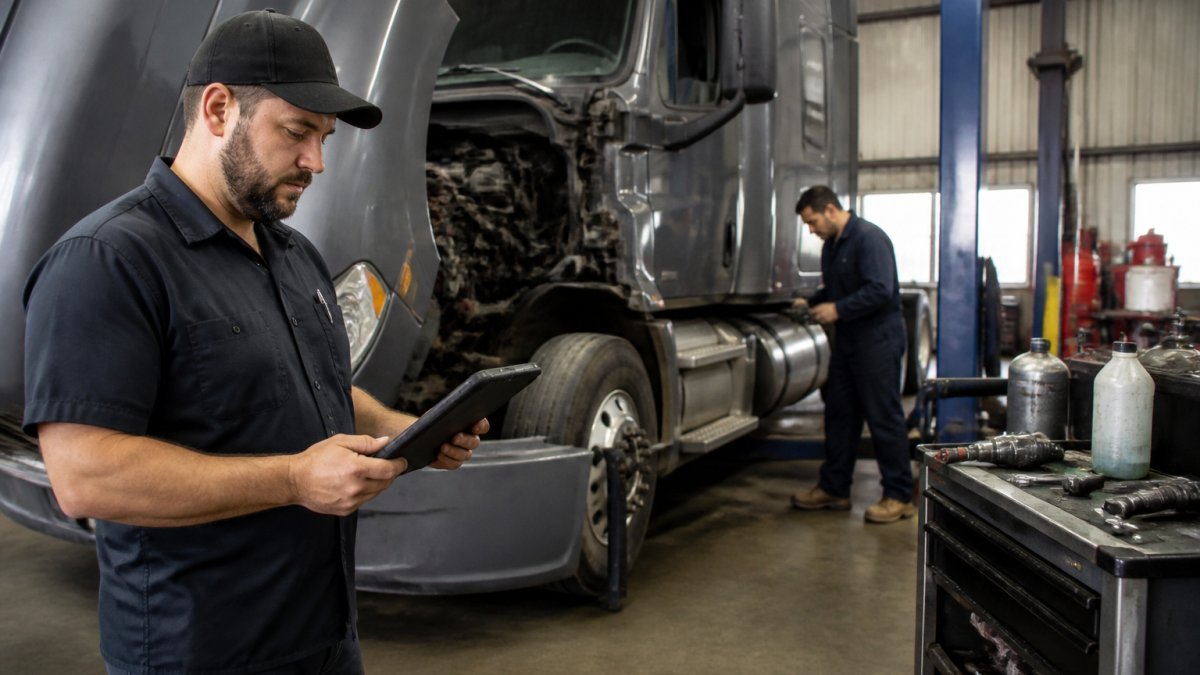
The first thing to check is whether the platform understands diesel repair workflows. A heavy-duty truck has systems a passenger car doesn’t: air brakes, DEF systems, and heavier drivetrains.
Second, confirm it works on a phone or tablet. Technicians are not walking to a desktop to clock in. Mobile clock-in and mobile-friendly platforms are table stakes now.
Work Orders, Estimates, and Repair Invoicing
Work order creation should take under two minutes for a repeat customer. If it takes longer, the system is adding friction, not removing it.
A strong repair order captures the complaint, the diagnosis, the parts, and the labor in one place. Estimates should convert to invoices without retyping.
What most guides miss: the estimate-to-invoice handoff is where shops lose money. Line items get dropped, labor gets underbilled, and nobody catches it until month-end. Systems that lock the two together close that leak.
Parts, Inventory, and Service History Records
Parts management is where downtime actually gets decided. If a technician can’t see parts availability before committing to a job, the truck waits on a phone call.
The best platforms show live inventory tracking and flag when a part is backordered. That lets the service team set realistic promises instead of optimistic ones.
Service history matters just as much. When a truck returns with a recurring fault, the repair team needs the full vehicle record in seconds. Paper files and disconnected spreadsheets can’t do that.
Truck Repair Software Features That Reduce Downtime
The truck repair program features that cut downtime are the ones that remove waiting. Everything else is nice to have.
Start with real-time job tracking.
Next, labor tracking that reflects actual time. Flat-rate estimates are fine for billing, but you need real hours to spot where the shop loses productivity. Mobile clock-in gives you that without extra paperwork.
Then, diagnostics and repair information access. Technicians who can pull repair guidance inside the platform solve problems faster than those switching between five browser tabs.
A shortlist to evaluate:
- Real-time job tracking across bays and technicians
- Mobile clock-in and mobile-friendly interface
- Parts availability checks before job commitment
- Searchable service history per vehicle
- Diagnostics and repair information integration
- Real-time KPI dashboards for shop productivity
Ask for a live demo of mobile clock-in specifically. Many platforms show a polished desktop view and hide a clunky mobile experience. The technician’s phone is where adoption is won or lost.
Truck Repair Software Pricing and Total Cost of Ownership
Most roundups dodge this section because vendors don’t publish list prices. That’s exactly why it matters: pricing is where the real differences between commercial truck repair programs hide, and where buyers get surprised after signing. Instead of quoting a number we can’t verify, here is the cost model you should build before you take a demo.
The five cost buckets that make up total cost of ownership
Every shop management platform and repair coverage program prices through some combination of these buckets. Ask each vendor to fill them in for your shop size, and the comparison becomes honest.
| Cost bucket | What it covers | What to ask the vendor |
|---|---|---|
| Subscription or license | Per-user, per-location, or per-vehicle monthly fee | Is it priced by seat, by bay, by vehicle, or flat? What happens when you add a technician mid-year? |
| Implementation and setup | Configuration, data import, workflow mapping | Is onboarding included or billed hourly? Is there a fixed-fee package? |
| Training | Role-based sessions for service writers, technicians, managers | Onsite, remote, or self-serve? Is refresher training free after go-live? |
| Integrations and add-ons | Accounting, parts catalogs, diagnostics, telematics | Which connectors are included, which are paid modules, and which require custom work? |
| Exit and portability | Data export, contract termination | Can you export work orders, vehicle records, and invoices in a usable format? Is there an early-termination fee? |
A common pattern is a low headline subscription paired with paid implementation and per-integration fees. The shop that compares only the subscription line is comparing the smallest part of the bill.
How to model cost per bay and cost per truck
Convert every quote into two numbers your operation can actually use: cost per bay per month and cost per vehicle per month. A five-bay independent shop and a 40-truck fleet should not evaluate the same proposal the same way.
- Cost per bay tells an independent shop whether the software pays for itself in recovered labor hours and fewer billing leaks.
- Cost per vehicle tells a fleet whether the platform plus any repair coverage is cheaper than the downtime and repair volatility it replaces.
Run both numbers over a 24-month horizon, not a 12-month one. Implementation dips, training time, and the first full maintenance cycle all land inside that window, and a 12-month view flatters whichever platform has the lowest entry price.
The hidden costs buyers miss
- The productivity dip during migration. Plan for several weeks of reduced throughput while records move and staff learn the new flow. Budget overtime or temporary help for that window.
- Double entry during parallel running. If you keep the old system alive for a month, someone is entering data twice. That labor is a real cost.
- Integration maintenance. Connectors to accounting and parts suppliers need updating when either side changes. Ask who owns that work and whether it’s billed.
- Contract escalation. Multi-year agreements sometimes include annual increases. Get the renewal terms in writing before you compare year-one pricing.
Pricing repair coverage programs honestly
Repair coverage is priced differently from software, and the comparison logic is different too. Instead of seats and modules, you’re comparing premium against expected eligible repair spend, exclusions, and claim friction.
Build a simple model: take your last 24 months of repair invoices, separate covered component failures from wear items and maintenance, and compare that total against the program’s premium plus deductibles over the same period. Then stress-test it against your worst single repair. A program earns its keep when it caps the tail risk, not when it wins on average.
The lowest monthly number is rarely the lowest total cost. Read the covered components, the exclusion list, and the termination terms before you compare price at all.
Ask every vendor for a written 24-month cost estimate that includes implementation, training, integrations, and renewal escalation. Vendors who won’t put it in writing are telling you something.
Fleet Maintenance Program Best Practices
Strong fleet maintenance program best practices come down to prevention and records.
Build a maintenance schedule tied to mileage and engine hours, not just calendar dates. Trucks that rack up unpredictable mileage need condition-based triggers, not fixed intervals.
Keep vehicle records complete and centralized. When a truck changes drivers or a technician leaves, the history should stay with the asset, not the person.
Track real-time KPIs for shop productivity and business profitability. If you can’t see cost per mile and average downtime per repair, you’re managing on feel.
Matching the Program to Your Business Type
Owner-operators of medium and heavy-duty trucks want protection against a single catastrophic repair. Cost predictability matters more than workflow depth.
Small to medium logistics fleets want both: coverage to smooth repair costs and tools to run their own maintenance operations.
Emergency service fleets with unpredictable mileage need coverage without mileage caps that trigger denials or rate hikes.
Dealership sales managers can offer repair coverage as a value-added option to commercial truck buyers, which strengthens the sale without adding service burden.
Implementation, Migration, and Integrations
Implementation is where good decisions go bad. The platform that looked perfect in a demo can stall for months if migration and training aren’t planned.
Start migration with your vehicle records and open work orders. Those two data sets matter most in the first week. Historical records can follow.
Train by role, not by feature. Service writers need work order and estimate flows. Technicians need mobile clock-in and job tracking.
Check integrations before you sign. Your accounting system, parts suppliers, and diagnostics tools should connect, or you’ll be re-entering data by hand.
Ask the vendor to run a migration dry run with a sample of your real data before go-live. Problems surface in a dry run that never appear in a sales demo.
Conclusion
The hard part isn’t finding a long feature list. It’s finding the combination of workflow tools and repair coverage that keeps your trucks moving and your costs predictable. Most fleets end up needing both, and the ones that plan the switch carefully feel the least disruption.
That’s where Total360™ comes in. Our equipment repair programs cover over 500 components, include a 24/7/365 claims reimbursement option with a 60-minute customer response time, and require no inspections, mileage caps, or qualifications.
Get a quote from Total360™ and see how predictable repair coverage changes what downtime costs you.
Frequently Asked Questions
What features should commercial truck repair software include?
At minimum, look for work order and repair order creation, estimates and invoicing, parts and inventory tracking, technician scheduling with labor tracking, and vehicle service history. Mobile clock-in and a mobile-friendly platform matter for techs working in the bay. Real-time KPI dashboards help shop owners see productivity and profitability without rebuilding spreadsheets. If you run Class 4-8 trucks, confirm the software handles diesel repair workflows and maintenance schedules for semi-trucks, not just light-duty vehicles.
How much does truck repair software pricing usually run?
Truck repair software pricing varies widely by provider, shop size, and whether you choose per-user or flat monthly plans. Most vendors quote based on the number of technicians and locations, and some charge setup or migration fees. Rather than comparing headline rates, calculate total cost of ownership: add implementation time, training hours, and any add-on modules for parts or fleet maintenance. Request a written quote tied to your actual headcount before deciding.
Can truck repair software track parts, labor, and repair history?
Yes. A solid platform links parts inventory tracking to each repair order, so you see parts availability before promising a completion date. Labor tracking captures technician hours per job, which feeds into labor estimating accuracy over time. Repair history ties every work order to the specific vehicle record, giving fleet managers a service history they can audit. That combination is what turns a repair shop from reactive to predictable.
How do fleet maintenance programs help reduce truck downtime?
Fleet maintenance programs reduce downtime by scheduling service before failures occur and by speeding up the repair process when something breaks. Preventive maintenance schedules based on mileage or engine hours catch wear items early. When a breakdown happens, a program with fast claims response and towing reimbursement gets the truck into a bay sooner. Tracking real-time KPIs on shop productivity shows where bottlenecks slow repairs, so you can fix the process rather than just the truck.